This guide explains how to use the Session Group tab in Fees Setup to connect fee groups to the academic session context they belong to.
Short summary
Use Session Group when the fee group already exists and the next step is assigning that group to the correct school session. This shared mapping helps keep later fee-master records aligned with the right academic year.
Before you start
- Confirm the correct academic session already exists.
- Confirm the fee group has already been created on the Group tab.
- Decide whether the mapping should remain active for current use or be stored as inactive history.
Navigation path
Fees Setup -> Session Group
Step 1: Open the Session Group tab
In the sidebar, open Fees Setup, then choose Session Group.
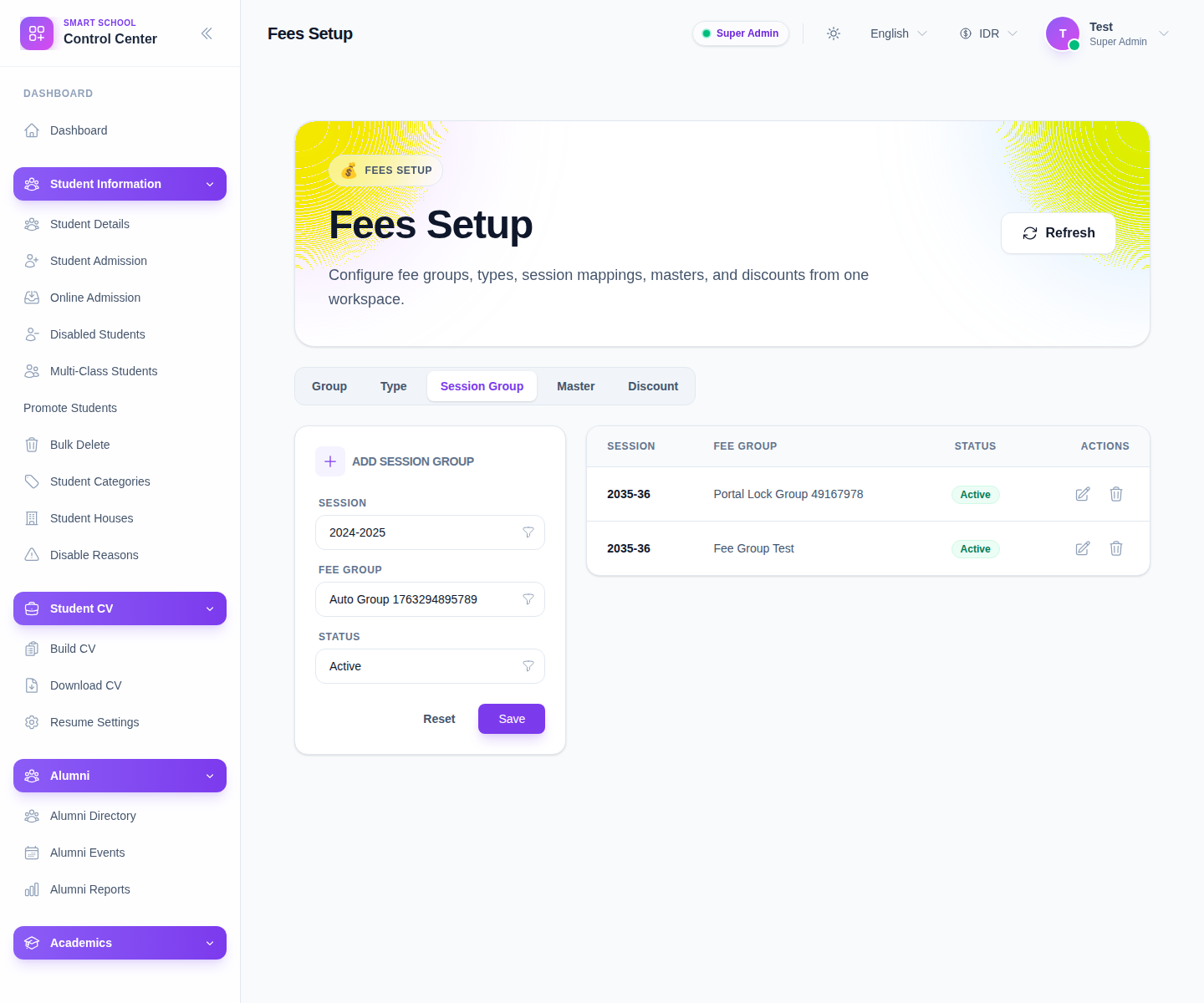
The visible form includes:
- Session
- Fee Group
- Status
Step 2: Create the session-group mapping
Use the left-side form:
- select Session
- select Fee Group
- choose the Status
- click Save
This record acts as a bridge between your academic-session structure and your finance-group structure.
Step 3: Review the mapping table
After saving, inspect the list on the right. The current columns are:
- Session
- Fee Group
- Status
- Actions
This is the quickest way to verify the mapping before you continue into fee masters.
Step 4: Filter existing mappings
The underlying workspace supports list filtering for session-group maintenance. Use the available search and status controls to isolate current mappings when the environment contains many test rows or prior-session records.
This matters in the local environment because old fixtures and QA mappings are mixed into the same setup surface.
Step 5: Maintain the mapping lifecycle
Use Edit when:
- the wrong session was linked
- the wrong fee group was selected
- the mapping should be reactivated or retired
Use Delete only when the mapping should be removed entirely and is not needed for active fee-master configuration.
Verify the result
- the row shows the intended Session
- the row shows the intended Fee Group
- the active state matches current operational use
- the mapping is ready to support later fee-master setup
Troubleshooting
| Issue | Likely cause | What to do |
|---|---|---|
| The fee group you need is missing | The group was not created yet | Return to the Group tab and add the group first |
| Session-group list is confusing | Old session rows and QA fixtures are mixed together | Filter by search and review the active state carefully |
| Fee masters later feel misaligned | The wrong session-group bridge was saved | Correct the mapping before building new masters |
| A mapping should not be used for new work | It is still left active | Edit the row and retire it instead of leaving it ambiguous |