This guide explains how to use Transport Fee Master to configure the monthly transport fee schedule for the active academic session.
Short summary
The Transport Fee Master page centers on session-level month configuration. Operators review whether any months are already configured, then open a modal to select months and define due-date and fine behavior.
Before you start
- Confirm the active academic session is correct.
- Decide which months should be enabled for transport billing.
- Prepare due-date and fine-rule decisions before saving the configuration.
Navigation path
Transport -> Transport Fee Master
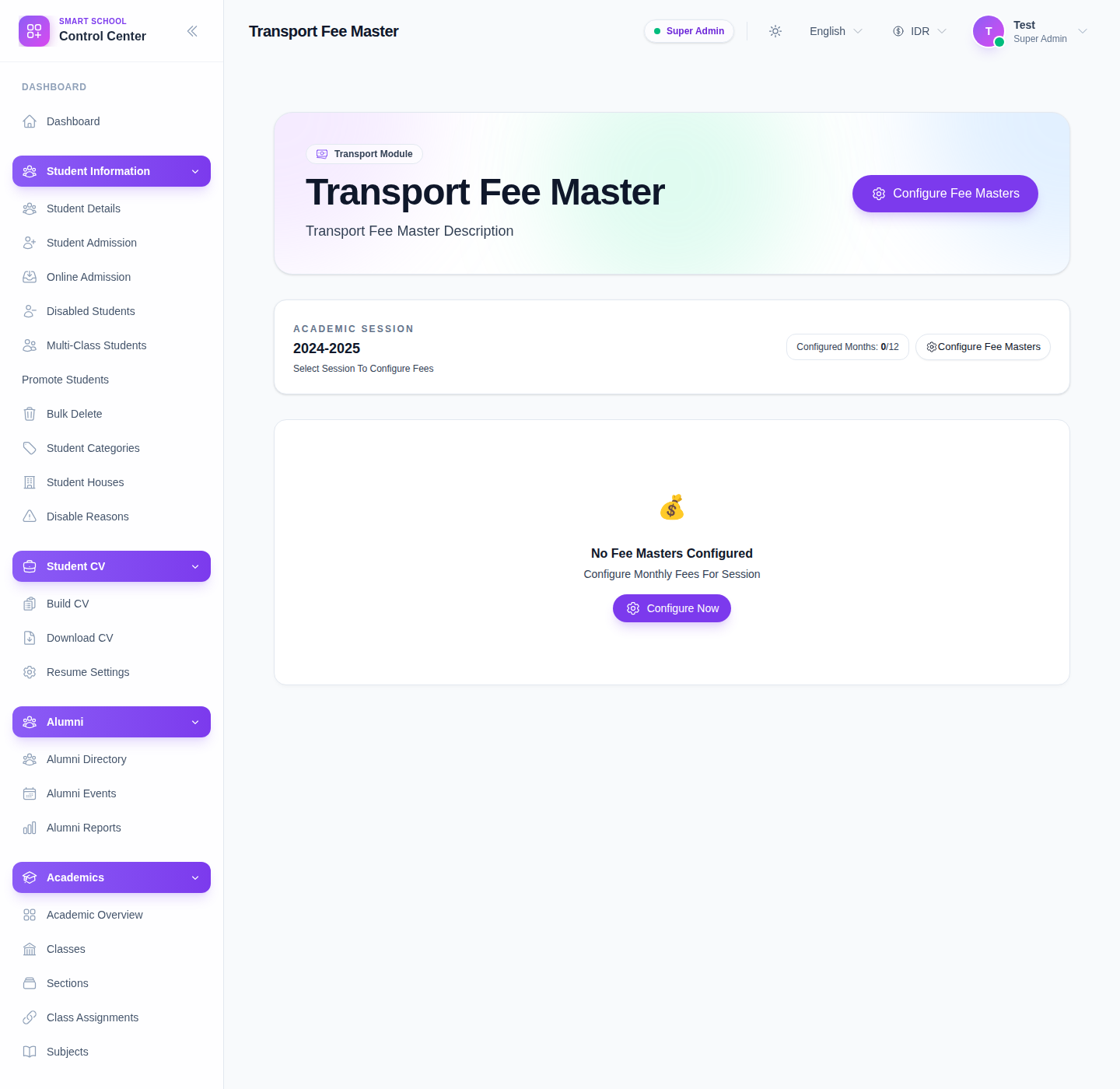
Step 1: Open Transport Fee Master
In the sidebar, open Transport and choose Transport Fee Master.
Step 2: Review the current session status
Before opening the modal, review:
- the academic session displayed on the page
- configured-month count
- whether the page is in an empty-state or already has configured month rows
This tells you whether you are creating a new schedule or maintaining an existing one.
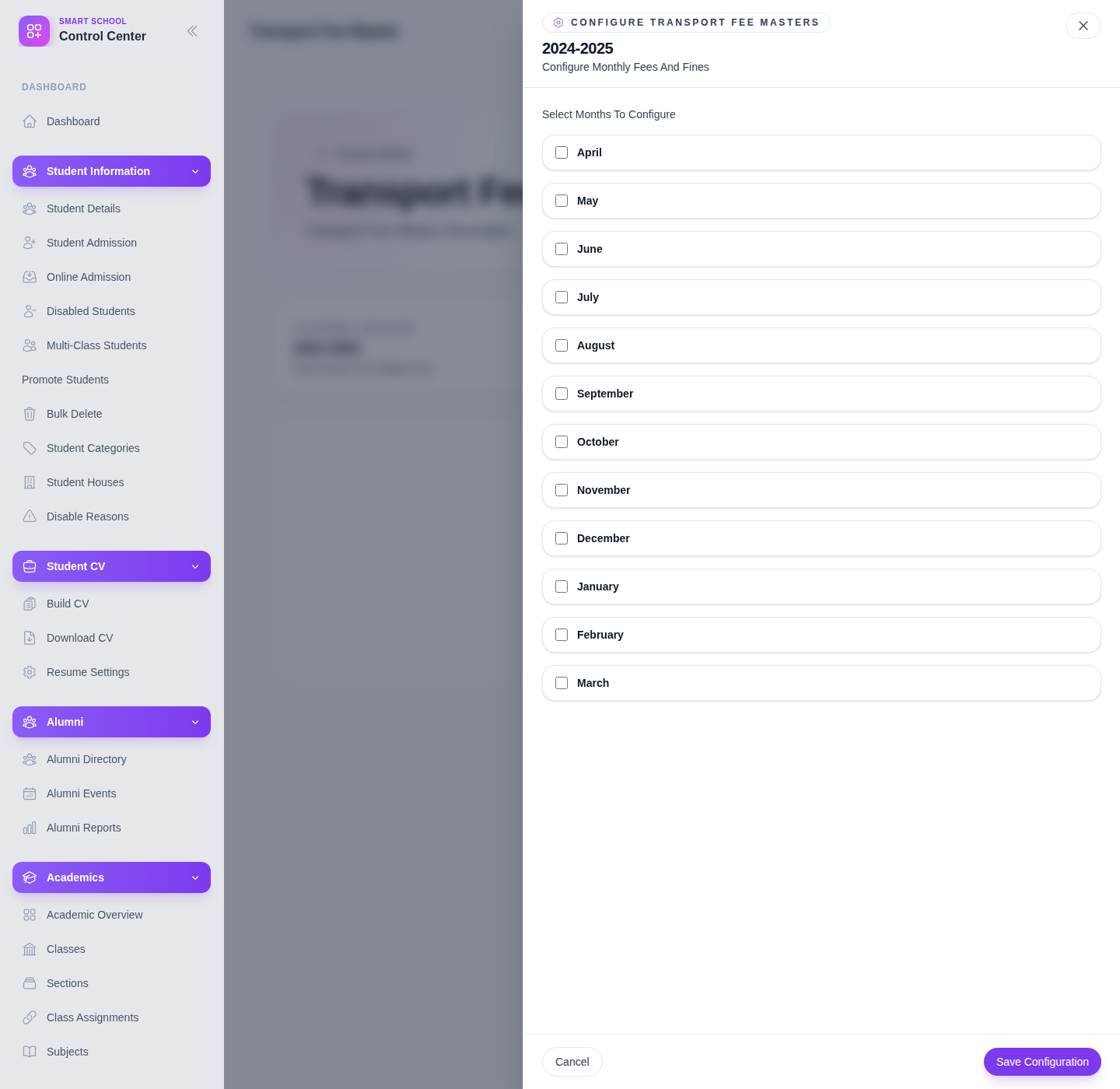
Step 3: Open the configuration modal
Click Configure Fee Masters or Configure Now.
Step 4: Select the months you want to configure
The modal currently presents the academic months from April through March.
Enable only the months that should carry transport charges for the selected session.
Step 5: Complete due-date and fine settings
For each enabled month, the workflow expects:
- a due date
- a fine type
- fine amount when the fine type is fixed
- fine percentage when the fine type uses a percentage
At least one month must be enabled before the configuration can be saved.
Step 6: Save and recheck configured months
After saving, return to the main page and confirm the configured-month count and the fee-master list reflect the saved months.
If the page already has month rows, use delete only when a month configuration should be removed from the session deliberately.
Important note
Important: the current local Smart School environment loads this page in an empty-state with zero configured months. That is a valid local state. The configuration workflow is still visible and was documented from the live modal plus the underlying transport fee-master code.
Verify the result
- the academic session is correct
- the intended months are enabled
- due dates are present for enabled months
- configured-month count updates after save
Troubleshooting
| Issue | Likely cause | What to do |
|---|---|---|
| Save Configuration does not work | No months are selected or an enabled month is missing a due date | Enable at least one month and complete the due date fields |
| The wrong session is being configured | The active academic session is not what you expected | Recheck the session context before saving transport months |
| No fee masters appear in the list | The page is still in a clean empty-state | Open the configuration modal and create the month set first |
| Student transport fee options feel incomplete later | Route-stop fees and transport fee masters are not aligned yet | Recheck route-pickup mapping and then review fee-master configuration again |