This guide explains how to use Income vs Expense inside Finance Reports to review the combined transaction ledger across income and expense records with a running balance.
Before you start
- Treat this report as a running ledger, not a simple monthly summary.
- Confirm the report window first, because the ledger is built from all matching income and expense rows inside the selected dates.
- Use Income Group or Expense Group instead if you need grouped subtotals by head first.
- Expect the table to show a valid empty state when the selected period has no matching transactions.
Important: the current implementation merges rows from the finance income and expenses tables, sorts them by date, and calculates a running balance on the report itself. This is why the table behaves like a ledger rather than a monthly comparison card.
Navigation path
Reports -> Finance Reports -> Income vs Expense
Step 1: Open Finance Reports and switch to Income vs Expense
Open Finance Reports from the Reports menu, then select Income vs Expense.
This branch stays inside the same shared finance console as:
- Daily Collection
- Income Group
- Expense Group
- Payroll Summary
You still use the same shared:
- Export CSV
- Refresh
- From Date
- To Date
Step 2: Load the report for the target date window
Set the date range and click Apply.
The backend then:
- loads matching income rows
- loads matching expense rows
- combines both result sets
- sorts them by date
- calculates the running balance from top to bottom
This means the branch answers a different question from the grouped tabs. It is better for balance tracing than for category ranking.
Step 3: Read the balance cards before reading the ledger
The top summary cards show:
- Total Income
- Total Expense
- Net Total
Use these three values first to understand the overall direction of the selected period before reading the detailed rows.
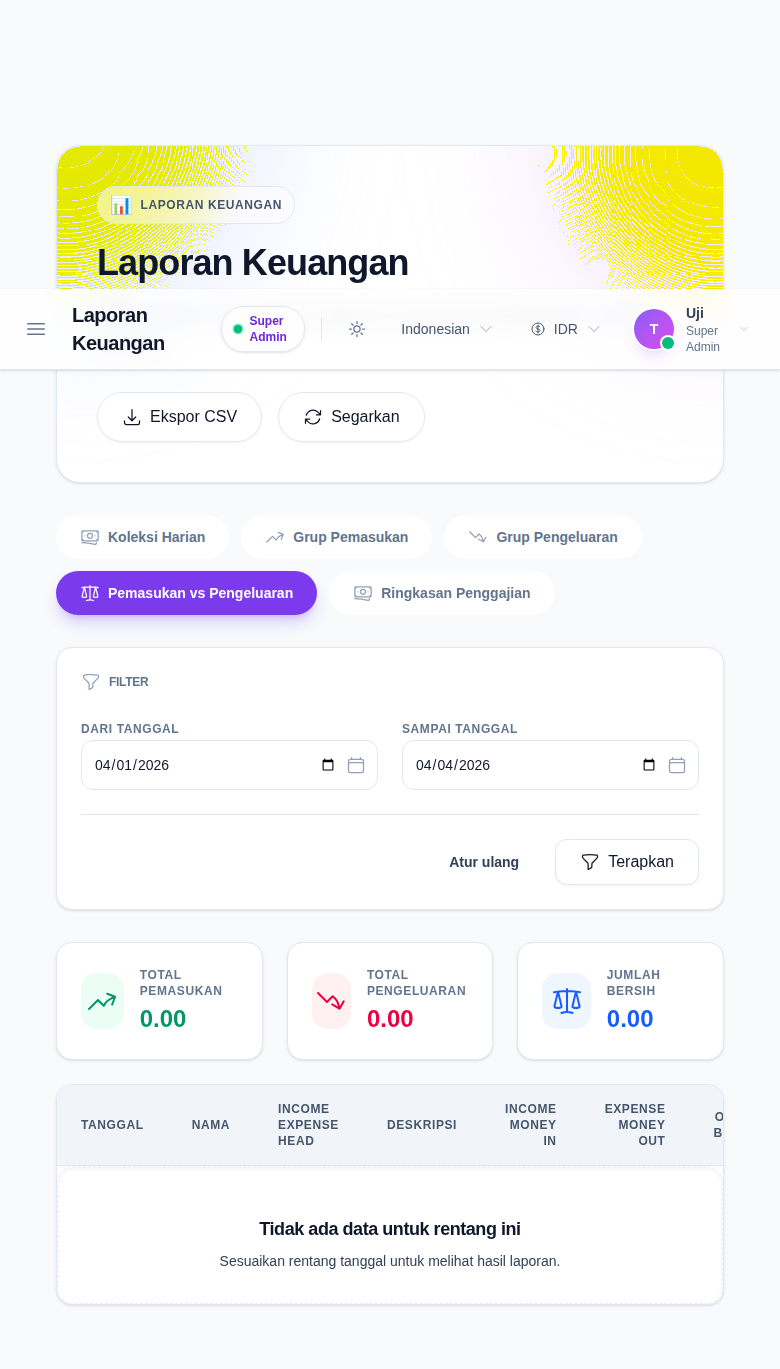
Step 4: Read the running ledger row by row
The current table includes:
- Date
- Name
- Income Expense Head
- Description
- Income (Money In)
- Expense (Money Out)
- Overall Balance
Use the rows to answer questions such as:
- Which transaction changed the balance most?
- Did a specific expense push the balance negative?
- Which head or note explains a sudden change in the running total?
Because the balance is cumulative, later rows depend on the earlier ones in the same result set.
Step 5: Export the ledger only after the filters are final
Use Export CSV after confirming the selected date range.
The export includes the current ledger columns and ends with a grand-total row for:
- income total
- expense total
- net total
If you change the date range and export again, you are exporting a different ledger.
Verify the result
Use this checklist after loading the balance report:
- confirm the branch is Income vs Expense
- confirm the date range matches the intended reporting window
- confirm the summary cards align with the visible rows
- confirm the running balance changes logically from one row to the next
- confirm the CSV export is taken only after the ledger state is final
Expected result: you can review one combined finance ledger, understand total money in versus money out, and follow the running balance across the selected period before exporting the result.
Troubleshooting
| Issue | Likely cause | What to do |
|---|---|---|
| The ledger is empty | No income or expense rows match the selected date range | Broaden the date range or confirm source transactions exist |
| The balance direction looks wrong | One side of the finance data is missing or the date range is incomplete | Check the source income and expense entries for the same period |
| You expected grouped totals by head | This branch is a running ledger, not a grouped report | Use Income Group or Expense Group for grouped subtotals |
| The export does not match the screen | The date range changed before export | Recheck the active range, then export again |
| The table is harder to interpret than expected | Too many mixed transactions are in one window | Narrow the date range to one week, one month, or one audit slice |