This guide explains how to use Income Heads to manage the category list behind non-fee income entries.
Short summary
Use Income Heads when finance staff need to create or maintain the category structure used by the Add Income form. The current tab combines the head form with a maintenance table of existing head records.
Before you start
- Decide the display name for the head.
- Choose a short Code that remains understandable in later finance views.
- Add a description when the head meaning may not be obvious to other operators.
Navigation path
Income Console -> Income Heads
Step 1: Open Income Heads
In the sidebar, open Income Console and choose Income Heads.
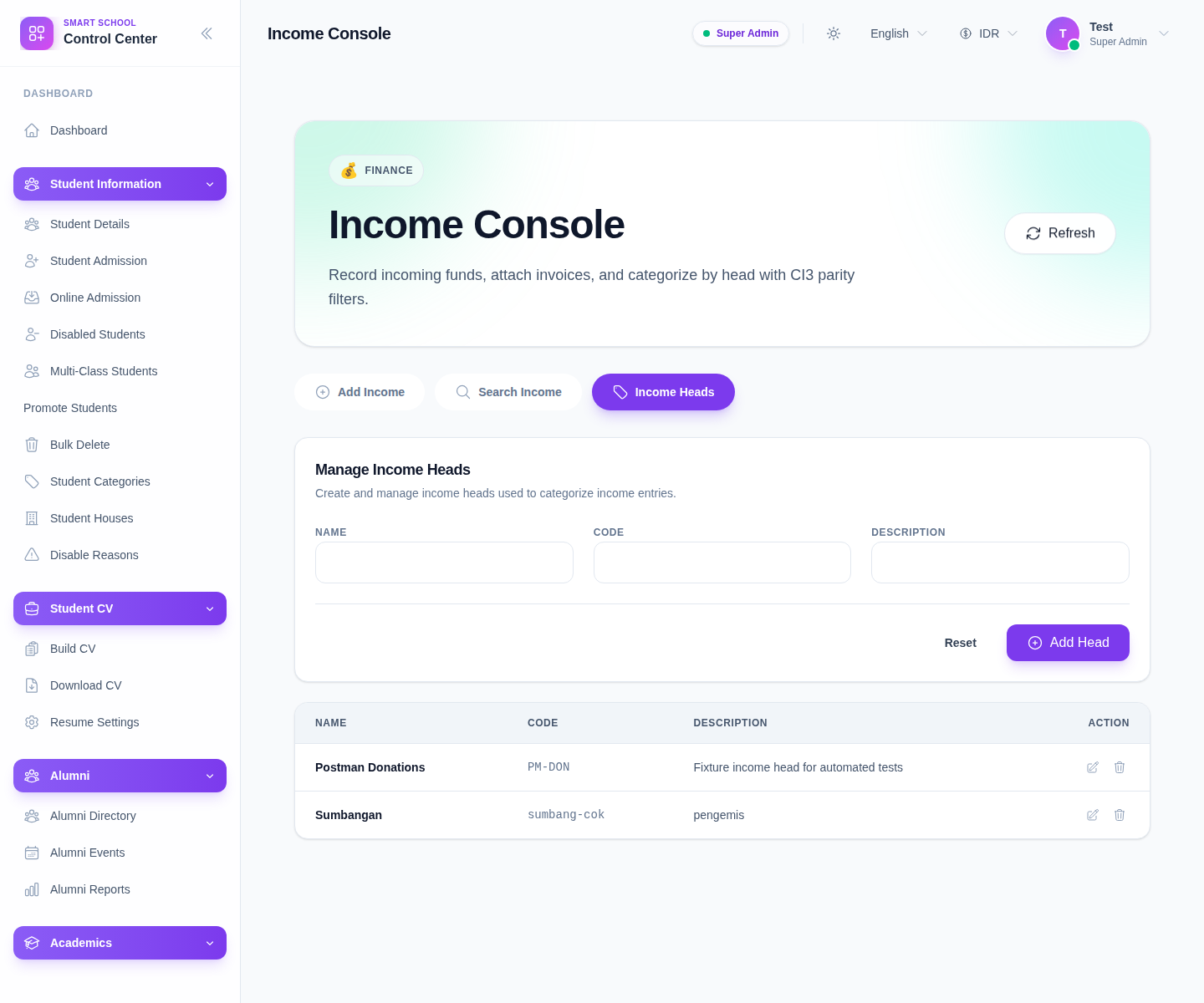
The current form uses these fields:
- Name
- Code
- Description
Step 2: Create the head
Complete the form:
- enter Name
- enter Code
- add Description if useful
- click Add Head
Use Reset when you want to clear the current input and start over.
Step 3: Review the heads table
After saving, the table below should reflect the current category list.
The visible columns are:
- Name
- Code
- Description
- Action
This is the main place to confirm whether the head is ready for use in new income entries.
Step 4: Maintain existing heads carefully
The current table supports maintenance actions per row.
Use those actions when:
- a head name should be clarified
- the code is inconsistent with finance standards
- the description should explain the category more clearly
Because heads drive later search and reporting behavior, keeping them tidy is more useful than allowing ad hoc naming to spread.
Step 5: Confirm downstream usage
After a head is created or updated:
- return to Add Income
- confirm the head appears in the selector
- use Search Income later to confirm entries can be filtered under the intended category
Verify the result
- the head appears in the table
- the name and code are readable and distinct
- the head is available in the add-income selector
- search and review workflows can use the category as intended
Troubleshooting
| Issue | Likely cause | What to do |
|---|---|---|
| The head does not appear in the add form | It was not saved successfully yet | Recheck the form and refresh the console |
| Two heads mean almost the same thing | Naming standards were not enforced | Merge or rename before operators rely on both |
| The code is unclear later | The short code is too vague | Edit the head before it becomes widely used |
| Operators keep choosing the wrong category | Head names are too similar | Improve the names and descriptions for clarity |