This guide explains how to use Room Types to define reusable room classifications before room-level hostel inventory is maintained.
Short summary
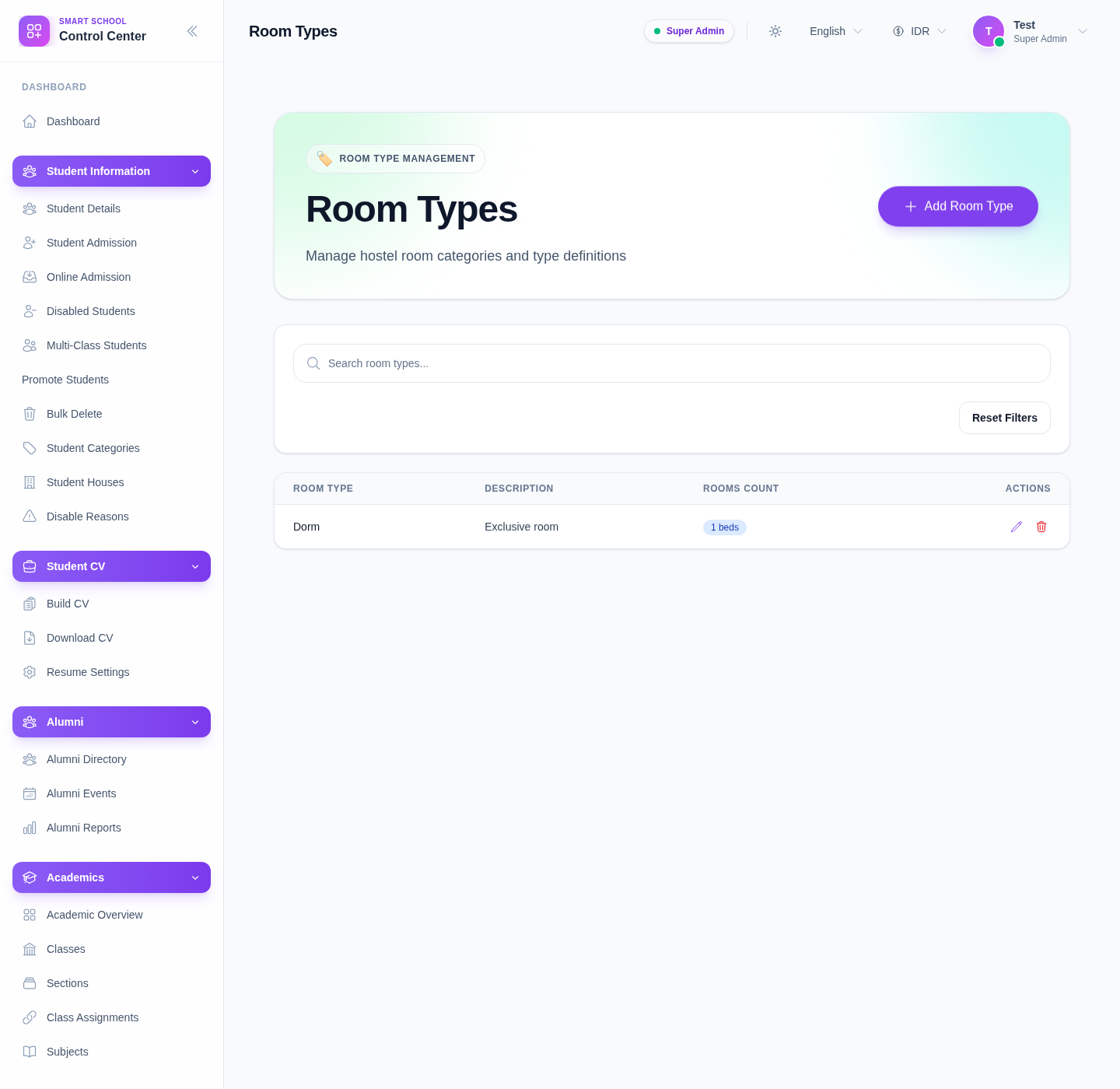
The Room Types page is a setup workspace with search, reset, a room-type table, and a create or edit drawer for maintaining the shared room classifications used by hostel rooms.
Before you start
- Decide the naming standard you want for room categories.
- Avoid duplicate room-type names that mean the same thing operationally.
- Keep descriptions brief but useful for future room setup.
Navigation path
Hostel -> Room Types
Step 1: Open Room Types
In the sidebar, open Hostel and choose Room Types.
Step 2: Search the current setup
Use the search box to check whether the room type already exists before creating a new one.
The current table shows:
- Room Type
- Description
- Rooms Count
- Actions
Use this review step to prevent duplicate categories.
Step 3: Add a room type
Click Add to open the drawer.
The current drawer exposes:
- Room Type as a required field
- Description as an optional field
Use a name that will still be clear when staff assign it from the room-management screen later.
Step 4: Edit or delete existing room types
Use the row actions when the classification needs correction.
- edit the room type when the name or description should be improved
- delete only when the type is no longer needed and should not stay part of the hostel setup
Because the table also shows Rooms Count, check whether the type is already used before removing it.
Step 5: Recheck downstream impact
After saving, return to Hostel Rooms if needed and confirm that the updated room type remains understandable in actual room records.
This matters because room types are setup data, not just labels. If they drift, later room management becomes harder to trust.
Verify the result
- the room type appears in the table
- the name is clear and not duplicated
- rooms count still makes sense for existing room types
- edits are reflected in the listing after save
Troubleshooting
| Issue | Likely cause | What to do |
|---|---|---|
| Save does not work | The required Room Type field is empty | Fill the required name before saving |
| Duplicate-looking types appear | Search was not used before creation | Search first, then merge or rename the overlapping setup |
| Deleting feels risky | Existing rooms may already rely on the type | Review Rooms Count and hostel-room usage before removing it |
| Search returns nothing unexpectedly | The keyword is too narrow | Clear the search field and review the full list again |