This guide explains how to use Hostel Reports to review student hostel assignment records from the reporting layer.
Short summary
Use Hostel Reports when you need to see which students are assigned to hostels, narrow the view by class or section, and export the result if needed.
Before you start
- Decide whether you need a broad hostel view or a class-specific filter.
- Confirm the hostel, class, and section context before you load the report.
- Expect an empty result in the current local environment when no matching hostel assignments exist.
Navigation path
Reports -> Hostel Reports
Step 1: Open Hostel Reports
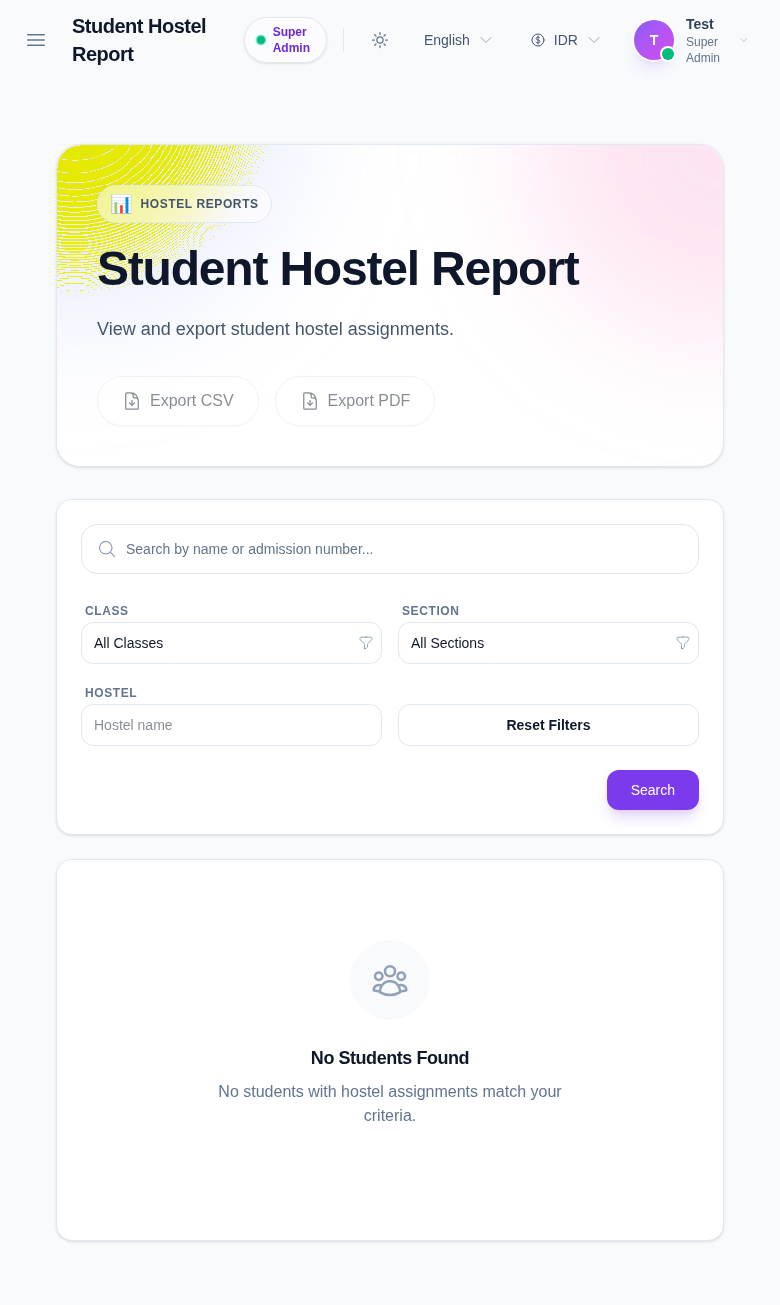
In the reports hub, open Hostel Reports.
Step 2: Review the available filters
The page currently exposes:
- Class
- Section
- Hostel
- Search
- Reset Filters
Use the filters together when you want the report to focus on a specific cohort.
Step 3: Read the export options
The page provides:
- Export CSV
- Export PDF
Use CSV when you want to continue the review in a spreadsheet. Use PDF when you want a printable report snapshot.
Step 4: Review the result area
If no matching records exist, the page shows an empty-state message instead of rows.
That is expected in the current local environment when hostel assignments are not seeded for the selected filters.
Verify the result
- the selected hostel and cohort match the report question
- the filters are applied before export
- the export format matches the handoff you need
- the empty state, if shown, is consistent with the current local dataset
Troubleshooting
| Issue | Likely cause | What to do |
|---|---|---|
| No students appear | The local dataset has no matching hostel assignments | Broaden the filters or confirm source data exists |
| The wrong cohort appears | The class or section filter was not updated | Set the correct filters and search again |
| Export is not useful | The export was triggered before filtering | Apply the filters first, then export |
| The page stays empty | No hostel assignment rows exist for the selected context | Review a different cohort or seed the expected data |