This guide explains how to use Lesson Plan Reports after the report-family split. The current product exposes two lesson-plan report routes inside one shared layout: Syllabus Status Report and Subject Lesson Plan Report.
Before you start
- Confirm the academic session, class, and section you want to review.
- Check which route you need: overall syllabus completion or teacher-grouped activity for one subject.
- If you need the subject-level report, prepare the subject group and subject selection in advance.
Tip: The family route redirects to the first lesson-plan report your account is allowed to access.
Navigation path
Reports -> Lesson Plan Reports
Step 1: Open the Lesson Plan report family
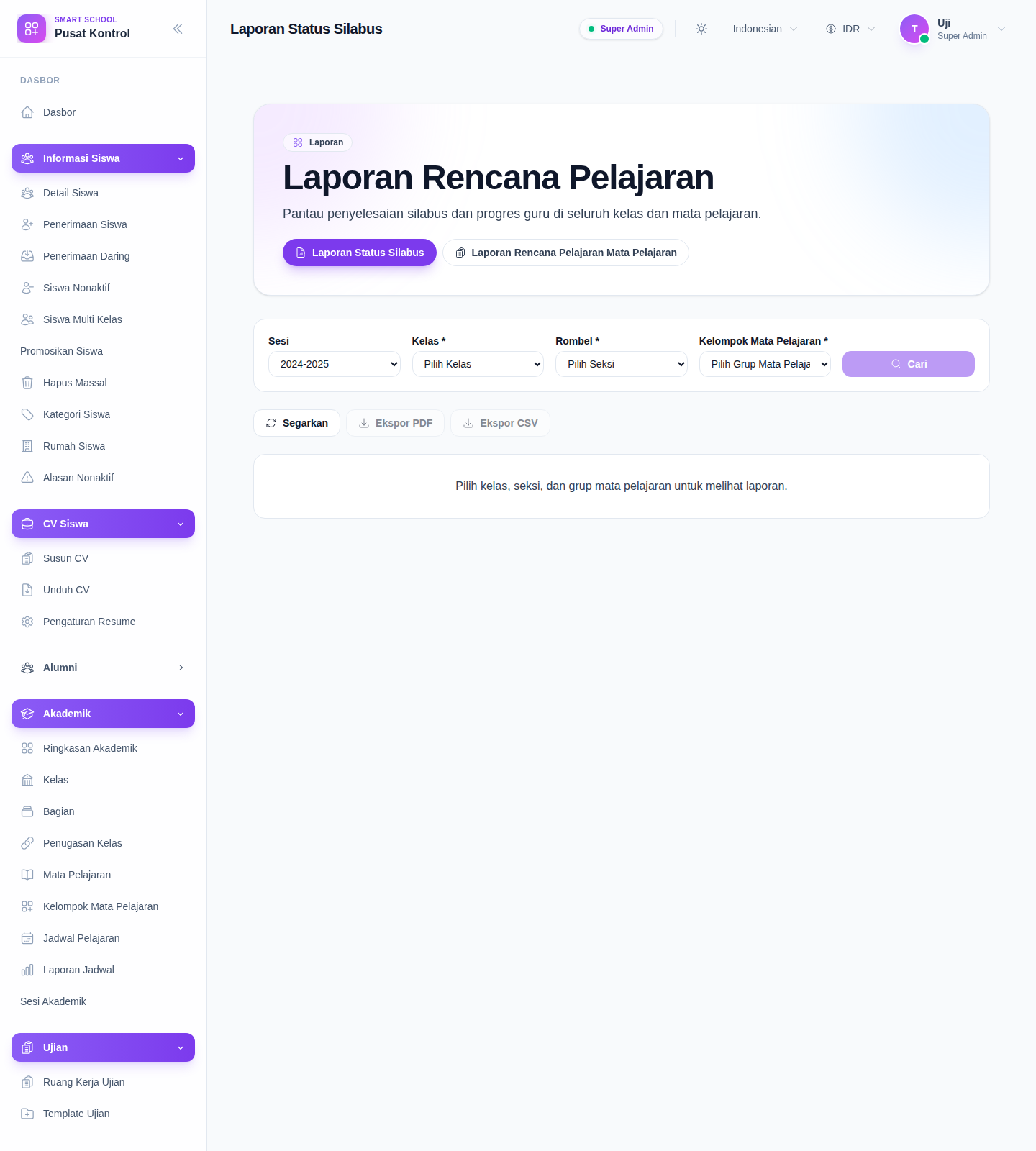
Open Lesson Plan Reports from the Reports hub.
Step 2: Choose the report route
The current Laravel and Vue implementation provides two routes:
- Syllabus Status Report
- Subject Lesson Plan Report
Both routes share the same academic context, but they answer different questions.
Step 3: Run the Syllabus Status Report
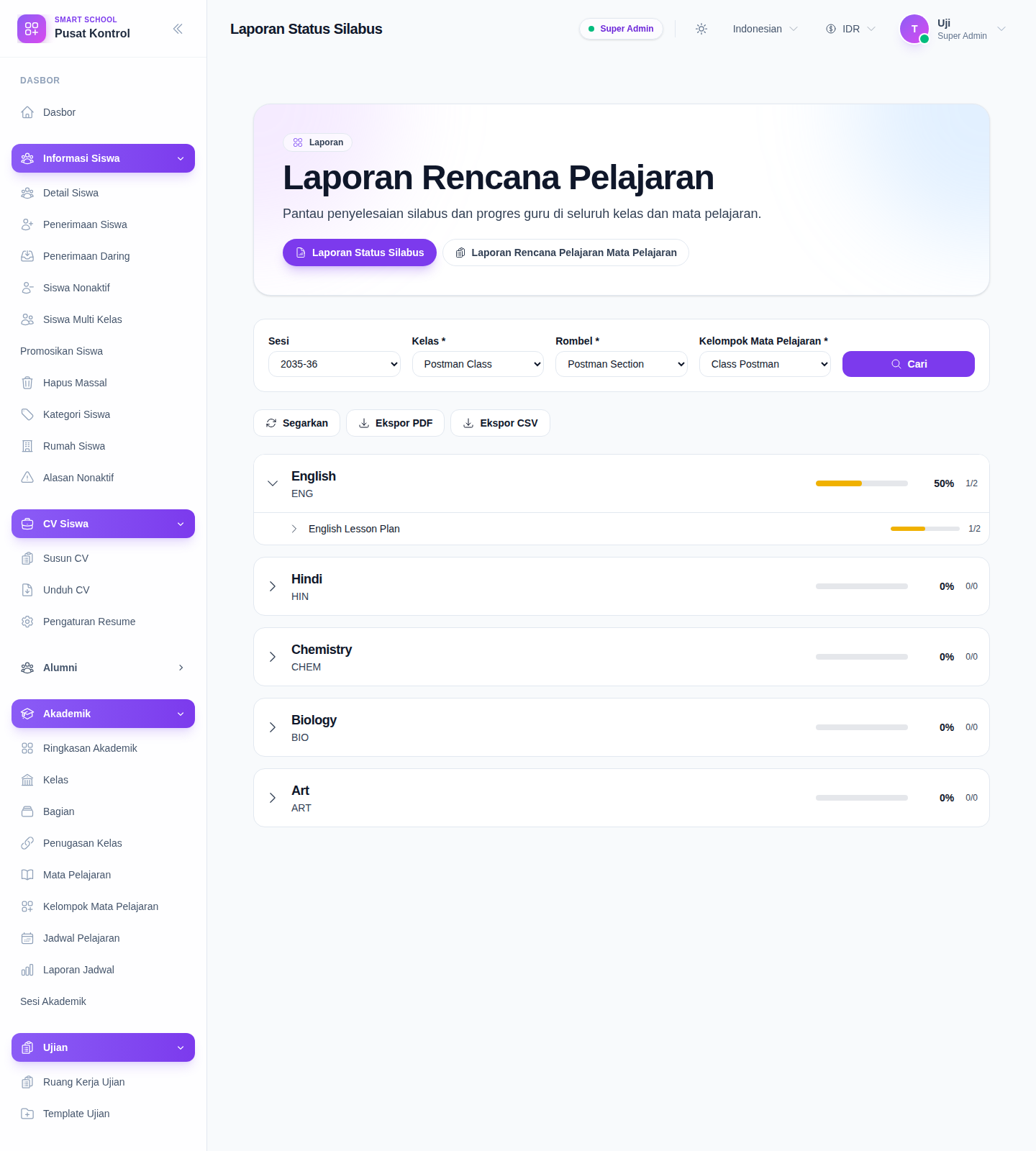
Use Syllabus Status Report when you need a completion overview for every subject inside a subject group.
This route uses:
- Session
- Class
- Section
- Subject Group
After you load the report, the page shows one expandable card per subject with:
- completion percentage
- completed vs total topics
- lesson-level progress inside each subject
Step 4: Run the Subject Lesson Plan Report
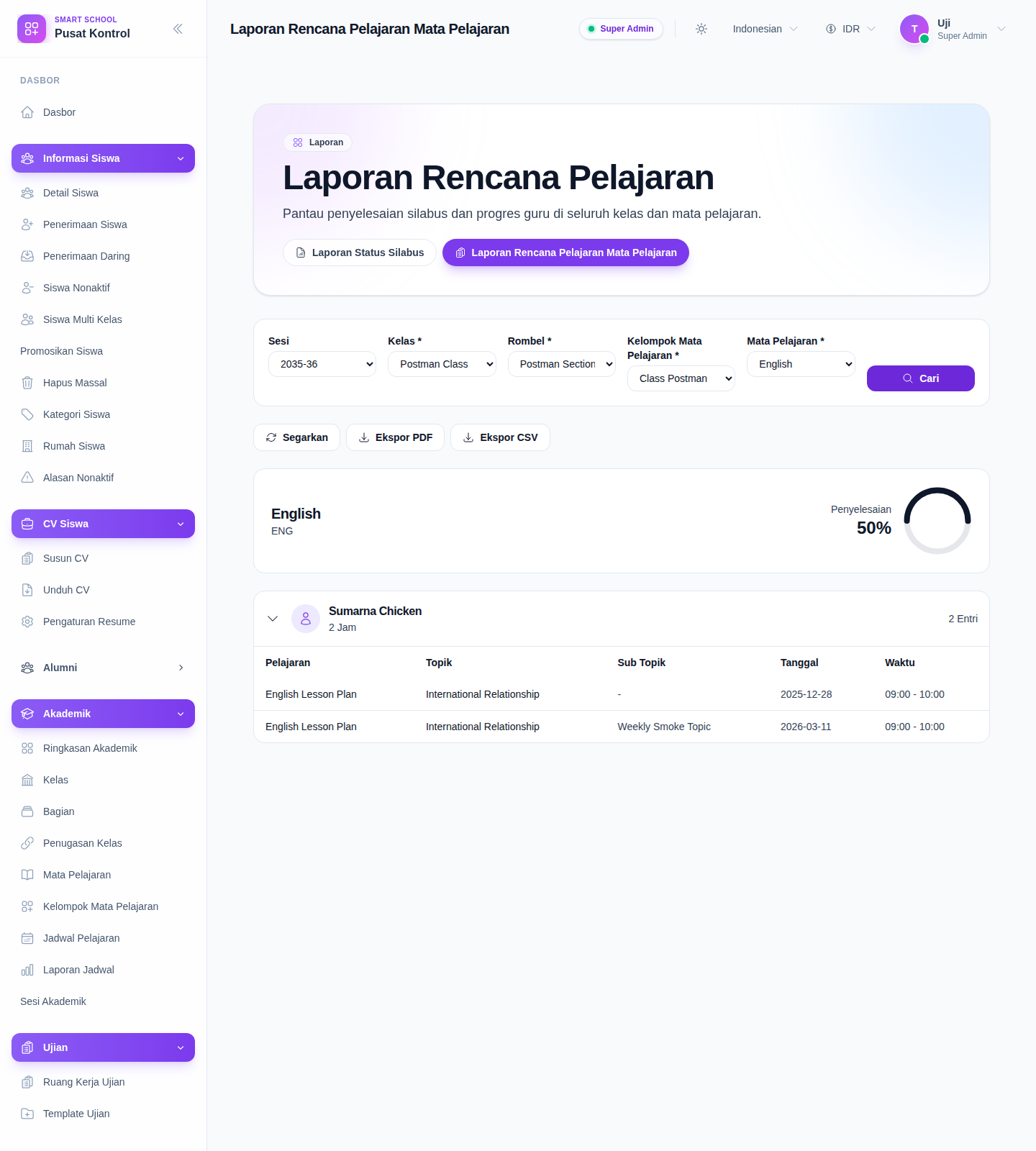
Use Subject Lesson Plan Report when you need teacher-grouped lesson-plan activity for one specific subject.
This route adds one extra filter on top of the shared context:
- Subject
After you load the report, the page shows:
- the selected subject summary
- completion percentage for that subject
- one expandable block per teacher
- lesson, topic, sub-topic, date, and time rows for the selected subject
Step 5: Refresh or export the active route
Both lesson-plan routes provide:
- Refresh
- Export PDF
- Export CSV
Export always applies to the currently open route and the current filter set.
Verify the result
- the correct lesson-plan route is active
- the session, class, section, and subject-group context matches your review scope
- the subject-level route also points to the intended subject
- the completion values and teacher rows reflect the current filter set
- the exported PDF or CSV matches the active route
Troubleshooting
| Issue | Likely cause | What to do |
|---|---|---|
| The report does not load | One or more required filters are missing | Complete the required filters, then run the report again |
| The subject list is empty | No subject-group subjects are available for the selected subject group | Recheck the session, class-section mapping, and subject-group setup |
| Export is disabled | No report result is currently loaded | Load the report first, then export |
| You only see one lesson-plan tab | Your role lacks the other report permission | Ask an admin to review the lesson-plan report permissions |