This guide shows how to use the Postal Receive workspace inside Front Office.
Short summary
Postal receive keeps incoming letters and courier items visible for reception tracking. The workspace separates the list, filters, and create drawer so staff can log who the item came from and what attachment or note belongs to it.
Before you start
- Prepare the sender or source title.
- Decide whether the item needs an attachment before opening the drawer.
- Keep the reference number or note available if your reception team uses one.
Navigation path
Front Office -> Postal Receive
Step 1: Open the Postal Receive workspace
Go to Front Office and select Postal Receive.
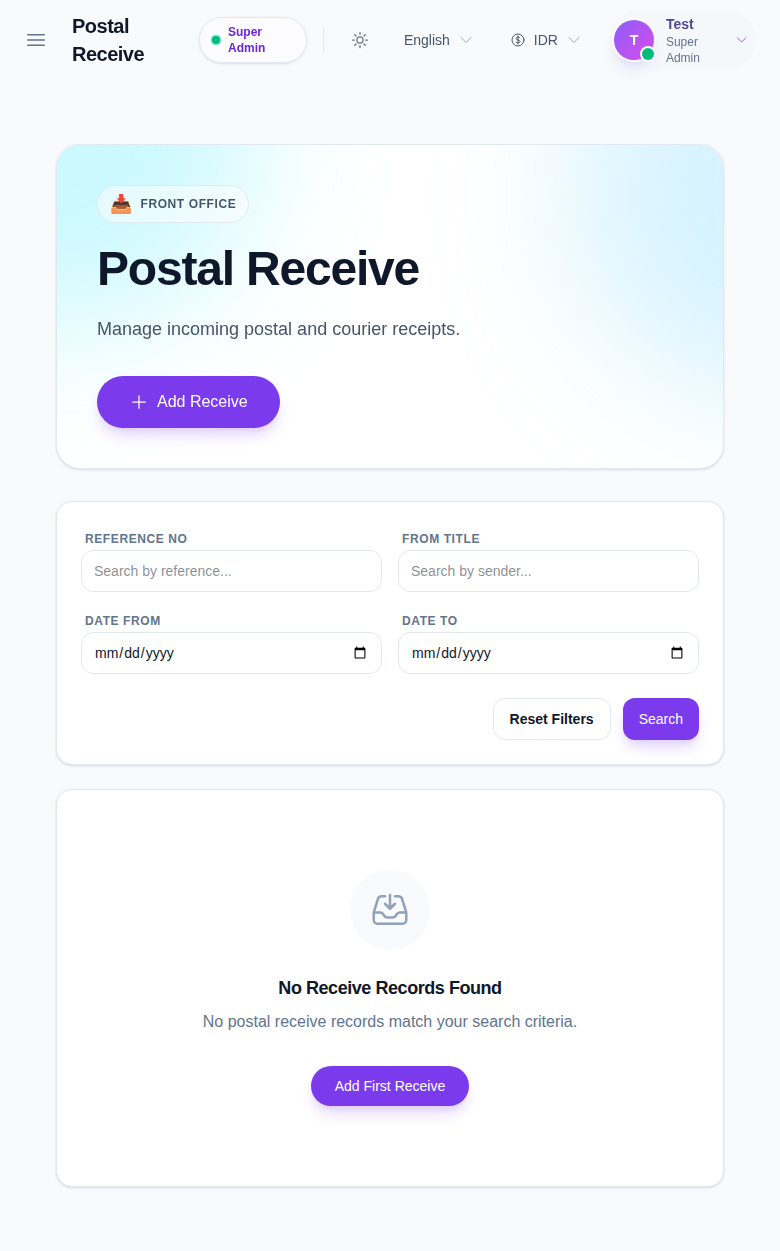
Use this page to:
- review incoming mail and courier history
- filter by reference number, sender title, and date range
- open a row for edit or delete
Step 2: Create or update a receive record
Click Add Receive to open the drawer.
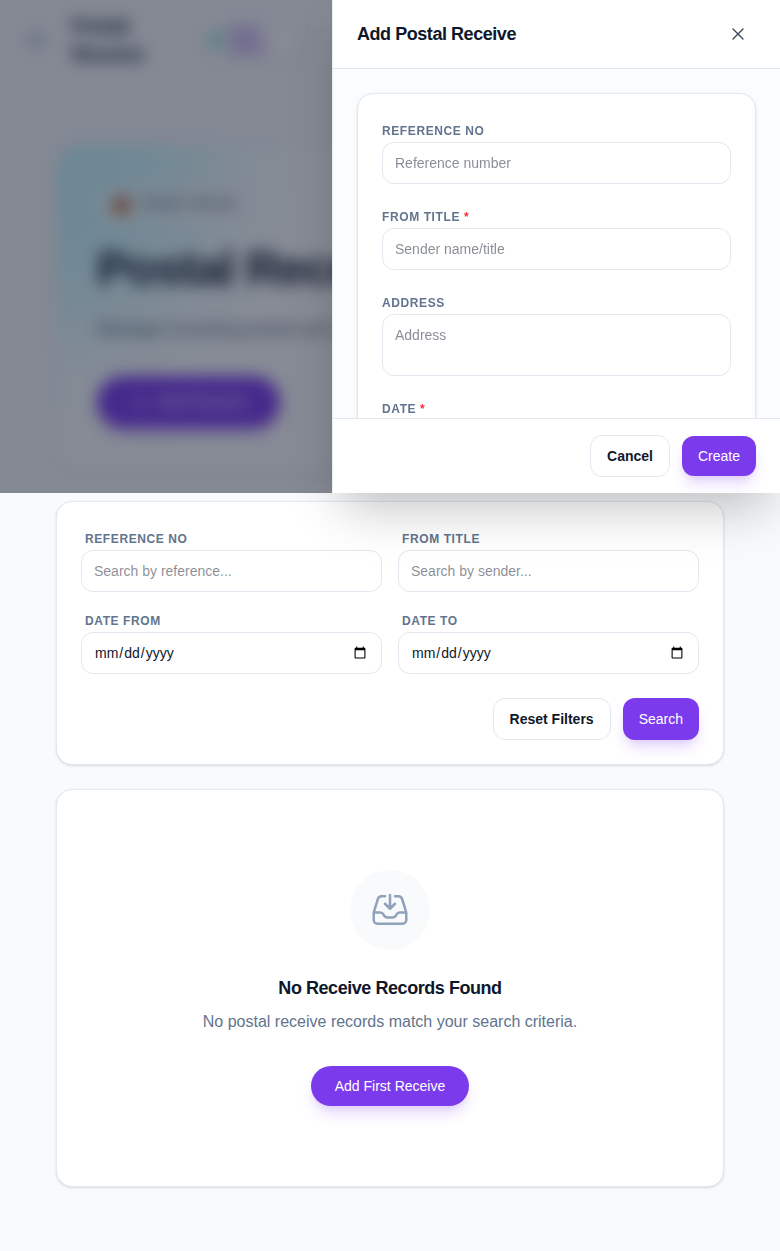
Complete the main fields:
- Reference No
- From Title
- Address
- Date
- Note
- Attachment
Use Create to save the incoming record.
Step 3: Review the saved receive record
After saving:
- Return to the list view.
- Use the filters to find the incoming item again.
- Confirm the sender and reference data are correct.
- Download the attachment if you need to verify the stored file.
Important notes
Important: Postal Receive is an internal tracking log. It should reflect the actual incoming item, not a draft note that never reached the office.
Verification checklist
- The receive record has the correct sender title.
- The reference number and date are correct.
- The saved row appears in the Postal Receive table.
Expected result: incoming mail records are stored in Front Office and ready for review.
Troubleshooting
| Issue | Likely cause | What to do |
|---|---|---|
| Save fails | A required field is empty | Fill the sender title or date field |
| The attachment is missing | No file was uploaded | Reopen the drawer and attach the required file |
| No rows appear after save | Filters are too narrow | Reset the filters and search again |
| Wrong sender title was entered | The item was saved before review | Edit the row and correct the title |