This guide explains how to maintain the house master data on the Student Houses page.
Before you start
- Confirm the official house names used by the school.
- Decide whether each house needs a description or can stay name-only.
- Review existing entries first to avoid duplicate houses with different spellings.
- Coordinate with staff who use houses in reports or extracurricular workflows.
Important: school houses are shared reference data. Duplicate or unclear house names will create confusion in assignments, competitions, and reporting.
Navigation path
Student Information -> Student Houses
Step 1: Open Student Houses
Go to Student Information and select Student Houses. The page presents:
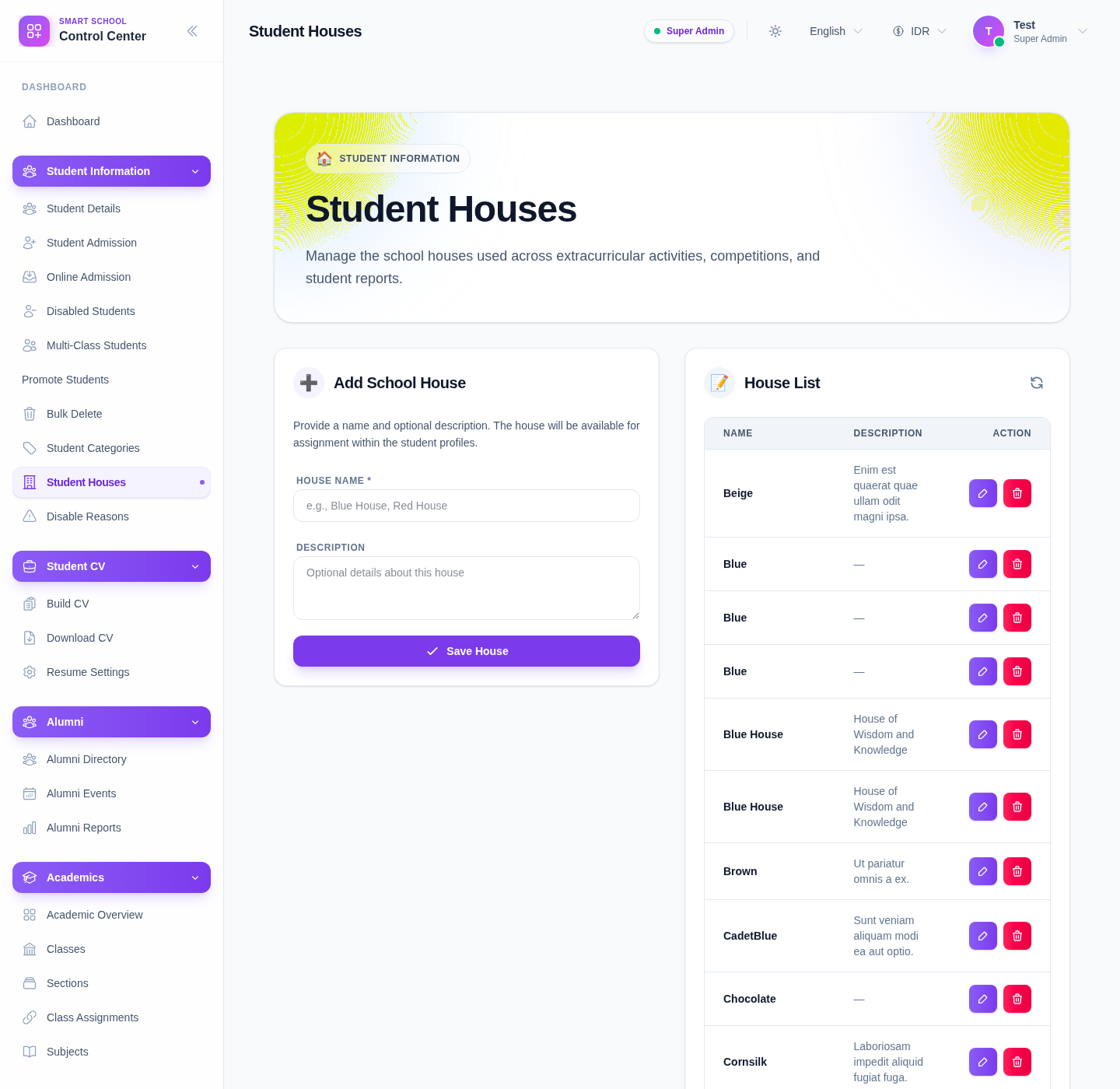
- an Add School House form
- a House List
The current UI describes this area as the place to manage houses used across extracurricular activities, competitions, and student reports.
Step 2: Review the existing houses
Start with House List before creating a new record.
The table includes:
- house name
- description
- action controls
This quick check helps you avoid creating repeated names such as two different entries for the same house.
Step 3: Add a new school house
Use the form fields in Add School House:
- Enter the house Name.
- Add an optional Description if the school needs one.
- Click Save House.
The current placeholders suggest examples such as:
Blue HouseRed House
Descriptions are optional and can explain the purpose or identity of the house.
Step 4: Confirm the new house is usable
After saving, check that the new row appears in House List and review:
- spelling
- description quality
- whether the house name is distinct from the rest of the list
If student profiles will start using the house immediately, notify the staff who manage profile updates.
Step 5: Edit or delete house records carefully
The list provides row-level Edit and Delete actions.
Use Edit when:
- the house name needs correction
- the description needs clarification
Use Delete only when:
- the house should no longer be available
- you have checked that removing it will not break current assignment expectations
Verify the result
Use this checklist after any update:
- the house name is standardised
- the description is useful or intentionally left blank
- there are no duplicated houses with slightly different names
- staff can use the house list confidently in student maintenance and reports
Expected result: the school-house master list stays clean and operationally useful for student assignments, activities, and reporting.
Troubleshooting
| Issue | Likely cause | What to do |
|---|---|---|
| A house appears twice with slight spelling differences | Existing entries were not reviewed first | Standardise the name and merge operational usage around one entry |
| Staff do not understand what a house is for | Names or descriptions are too vague | Improve the label or add a short description |
| You are unsure whether to delete a house | The house may still be referenced operationally | Confirm with school leadership or reporting owners before deleting |
| Reports become inconsistent | House naming has drifted over time | Audit the house list and standardise names |
| A description is missing | The house can still work without one | Leave it blank if the name alone is already clear |